Bootstrap Studio
Bootstrap Studio is a powerful desktop application for designing responsive websites using the Bootstrap framework — and in 2026 it has evolved into one of the most capable visual web editors available, now with built-in AI assistance.
It is a drag-and-drop editor that makes working with Bootstrap genuinely enjoyable. The app is built to lower the barrier to adopting Bootstrap, exports clean HTML, and has maintained a steady cadence of meaningful updates since its launch. It is an independent product — not made by the Bootstrap core team — but it tracks the framework closely and supports Bootstrap 5 throughout.

TL;DR It is very, very good — and in 2026, it just got smarter.
Contents
What's new in 2026
Bootstrap Studio has been actively developed right up to the present. Version 8.0.0, released in February 2026, was a landmark update that introduced an AI Assistant directly into the editor. The AI Assistant supports models from Google, Anthropic, OpenAI, OpenRouter, and even locally hosted models — giving you flexibility over which AI backend you use and how much you spend on it. Crucially, it works with your own API key and imposes no usage limits within the app itself.
Version 8.0.1 followed in March 2026, updating the model list to include the latest releases from OpenAI, Anthropic, and Google Gemini, keeping pace with the rapidly moving AI landscape. Two premium templates — Freshify and App Toolkit — were also added in the 8.0.0 release, expanding the template library further.
Earlier, version 7.1.0 (June 2025) added the Swiper component — a polished, touch-friendly slider — along with three premium templates: Agency Creative, Disrupted, and Healthy Colors. The release cadence has been consistent and the changelog remains well written, which continues to be a strong signal of a healthy, maintained product.
Licensing and installation
Bootstrap Studio is available as a one-time purchase with a lifetime licence that includes free upgrades. The pricing has shifted since the app first launched — check the official site for the current figure, as it has been updated over time — but the value proposition remains strong given the quality and regularity of updates. There is also a free trial version that runs in the browser, so you can get a genuine feel for the workflow before committing.
The app supports Windows, macOS, and Linux. The Linux AppImage continues to work well, including on Chromebook hardware. Download it, run chmod a+x filename in the terminal, and you are up and running.
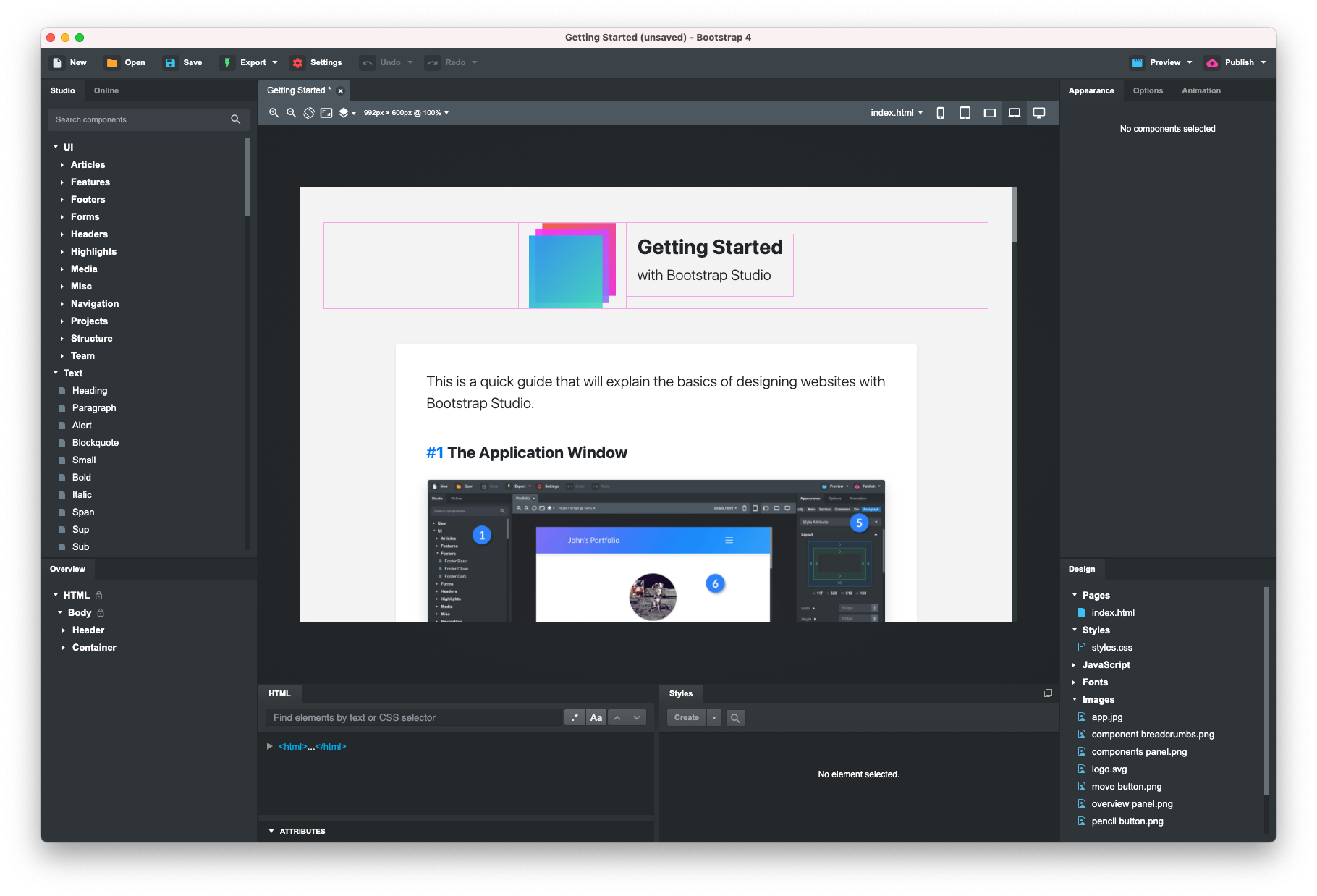
The forum remains active and the release notes are detailed — both signs of a product that is genuinely cared for by its developers. After years of use, the stability record is excellent. No crashes, no lost work, no rough edges that make you distrust the tool.
One workflow that holds up particularly well: paste HTML from a CMS like Joomla into the editor, improve it with proper Bootstrap components, export clean HTML, and bring the relevant parts back into your CMS. Bootstrap Studio was not designed as a CMS companion, but it handles that role gracefully.
AI Assistant
The headline addition in version 8.0.0 is the AI Assistant, and it is worth discussing on its own terms. Rather than locking you into a proprietary AI service, Bootstrap Studio lets you connect to the model of your choice — OpenAI, Anthropic Claude, Google Gemini, OpenRouter, or a local model running on your own hardware. You supply your own API key, so there are no additional subscription fees baked into the app and no artificial caps on how much you can use it.
This is a sensible approach. It means the feature stays useful as the AI model landscape continues to shift, and it gives privacy-conscious users the option to keep everything local. The March 2026 update (8.0.1) already refreshed the model list to reflect new releases, demonstrating that the team intends to keep this feature current.
AI Assistant — supports models from Google, Anthropic, OpenAI, OpenRouter and local models. Works with your own API key and imposes no limits.
Templates
Bootstrap Studio ships with a well-developed set of templates that demonstrate both the power of the Bootstrap framework and the capabilities of the editor itself. The library has grown substantially and now includes premium templates covering a wide range of design styles — from clean agency layouts to bold typographic treatments.


Select a template, choose your Bootstrap version, and start editing. Adding components, adjusting properties, and rearranging layouts is intuitive enough that you spend your time making design decisions rather than fighting the tool. Recent additions like the Swiper component and the Freshify and App Toolkit templates show the team is still expanding what ships out of the box.
Real-time preview
Bootstrap Studio lets you preview your design across different device sizes as you work, with the option to have multiple windows open simultaneously showing live changes. This makes responsive thinking a natural part of the process rather than an afterthought — you see immediately how a layout shift or component change affects a mobile view alongside a desktop one. For anyone building Bootstrap sites regularly, this alone justifies the tool.
Verdict
Bootstrap Studio was already a strong choice when it launched, and it has only improved with time. The 2026 release cycle — with AI assistance, an expanding component library, and a growing template catalogue — shows a product that is keeping pace with how web development is actually evolving. The one-time licence model, combined with a genuine commitment to free updates, makes it an unusually good deal in a market increasingly dominated by monthly subscriptions.
If you are building Bootstrap-based sites, whether for a CMS, a static project, or a client deliverable, Bootstrap Studio deserves a serious look. The free trial runs in the browser with no commitment required.