Multizone | All our technotes
If we've published it, you can find it here.

As we enter 2025, you might be wondering whether the iPhone 12 Mini remains a viable smartphone option. This article dives into its features, pricing, and performance compared to newer models, ensuring you have all you need to make an informed decision. The iPhone 12 Mini may still hold considerable value, as Apple don't make Mini phones anymore and is designed especially for those seeking a compact phone. Now its been discontinued you can find one without a hefty price tag. Read on as we compare the latest models, analyse performance, battery life, camera quality, and determine whether it's still a smart buy.
TL:DR – The iPhone 12 Mini is worth considering for those seeking an affordable and compact smartphone. Its powerful performance, current iOS software support, and decent camera capabilities make it a solid option for users who don’t require the latest USB-C connector and are looking for a smaller form factor. However, if you desire cutting-edge features, or to banish the lightning connector it might be worth investing in a newer model.
- Details
Read more: Reasons Why the iPhone 12 Mini is Still Worth Buying This Year

By 2026, Microsoft Copilot has moved well beyond its headline launch moment and is now a firmly established part of everyday life for Microsoft 365 Personal and Family subscribers worldwide. What began as an optional add-on has become a core component of the Microsoft 365 experience — built directly into Word, Excel, PowerPoint, Outlook, OneNote, and the Microsoft 365 Copilot app. If you haven't explored what Copilot can do for you yet, or if you last looked at it when it first arrived and dismissed it as a novelty, it's worth a fresh look. The product has matured considerably, the feature set has expanded, and the way Microsoft has structured its plans has shifted too.
TL;DR — Microsoft 365 Copilot is no longer a bolt-on experiment. It's the default AI layer across Microsoft 365 Personal and Family, with tiered options for power users and businesses. Some access is included in your existing subscription; more capable tiers are available if you need them. Read on for a clear breakdown of what you get, what it costs, and what to watch out for.
- Details
Read more: Copilot is now included in Microsoft 365 Personal and Family

Google are clearly ambitious and bold on AI. In their Responsible AI 2024 report Google makes a striking admission, that "Artificial General Intelligence (AGI) is coming into sharper focus". This isn’t just a vague nod to progress in AI research; it signals a fundamental shift in how we should think about the future of artificial intelligence. AGI is an important acronym to learn. The most famous fictional AGI is Skynet, the self-aware AI which is the main antagonist of the Terminator film and TV franchise. So if Google is getting closer to AGI we better be sure that there are guardrails in place. We know how those particular movies end!
TL:DR – While dystopian narratives tend to exaggerate the risks, I do feel like we are looking at a worrying future. The harsh reality seems to me to be that guardrails are not in place, and if we have learned anything at all from the last two decades exponential use of mobile devices and social media and the way it has transformed our society, we have learned that disruptive technologies almost always outpace our ability to govern them effectively.
- Details

Google maps in Android Auto took a bit of a beating for cluttering up the display online recently. It doesn't have to!
TL:DR – The search bar has a convenient ability to show directions history, but you can just tap arrow up to declutter your display. You're welcome.
- Details
Read more: Android Auto Maps really doesn't clutter the screen

Affordable, reliable, and packed with features, Roku streaming players remain one of the smartest ways to breathe new life into an older television in 2026. Streaming has now overtaken cable and broadcast combined — Nielsen confirmed this milestone in mid-2025 — and Roku has kept pace with that shift, refreshing its device lineup and pushing regular software updates even to older hardware. Whether you own a decade-old flat-screen or a secondary bedroom TV gathering dust, a Roku player is still one of the lowest-effort, lowest-cost ways to turn it into a fully capable streaming machine.
Roku devices connect via HDMI and deliver fast, smooth playback across all the major services: Netflix, BBC iPlayer, Channel 4, Amazon Prime Video, Disney+, and Apple TV+. Several models support 4K, HDR, and Dolby Vision. Voice control is standard across the range, letting you search, launch apps, and adjust settings without picking up a remote. The Roku mobile app extends that further, turning your phone into a second remote and letting you cast videos, music, and photos directly to your TV. The platform itself is free to use — you only pay for the streaming subscriptions you choose.
TL;DR – I've been using Roku devices to transform older non-smart TVs for well over a decade, and even my oldest hardware still receives software updates. The 2025-generation sticks are smaller and more capable than ever. Highly recommended.
{ToC}
Which Roku?
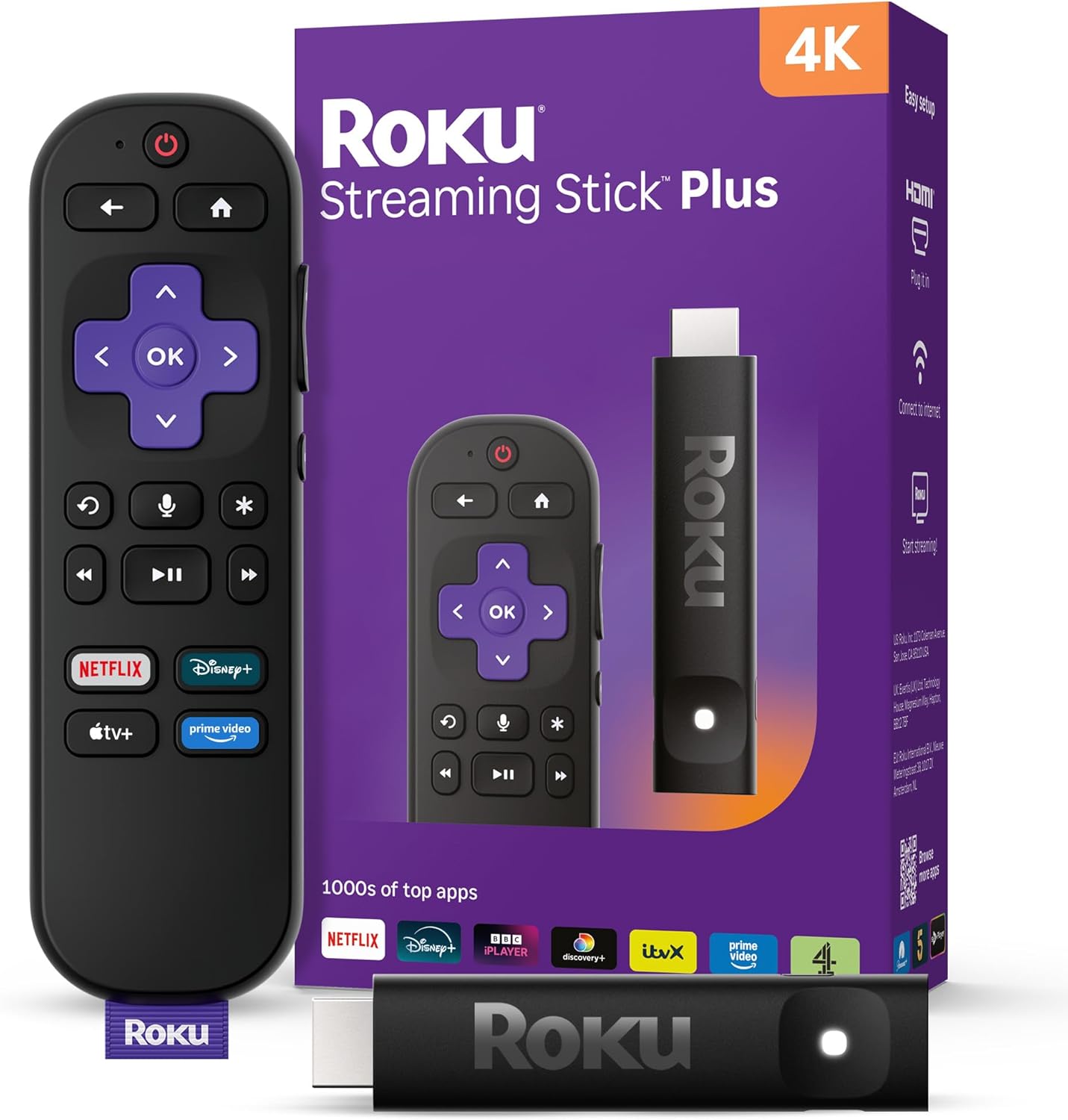
Roku refreshed its stick lineup for the UK in 2025 with two new models — the Streaming Stick and the Streaming Stick Plus — both of which are dramatically more compact than their predecessors, barely larger than an HDMI port itself, and powered directly from the TV so there are no trailing cables. Here's how the current range breaks down.

Why Roku?
Once you buy a Roku device, there are no platform fees. You won't pay anything to watch free channels, and creating a Roku account costs nothing. You only pay for the streaming subscriptions you choose — Netflix, Disney+, Apple TV+, and so on — or for individual film rentals. Everything else, including hundreds of free ad-supported channels, is included from day one.
Roku's longevity is also genuinely impressive. The company continues to push software updates to devices that are several years old, which means your investment holds its value far longer than with many rival platforms. The Roku OS interface has also matured significantly: it's fast, uncluttered, and consistent across the entire device range.
One area where Roku is actively investing is content discovery. Finding something to watch has become a real friction point — streaming viewers now spend an average of 20 minutes searching for their next watch, compared to around 7.5 minutes just a few years ago. Roku is responding with AI-driven personalisation features designed to surface relevant content faster, and the platform's integration with major services means recommendations pull from your full library of subscriptions in one place rather than forcing you to open each app separately.
I especially recommend the Roku Streaming Stick if you're looking for an inexpensive way to upgrade an HD TV to make it smarter and snappier.
Requires an internet connection
You'll need a broadband connection to use any Roku device. Most models connect via dual-band Wi-Fi, and the Roku Ultra adds a wired Ethernet port for households where a stable, high-speed connection matters most. If your router is in a different room from the TV, the Streaming Stick Plus's improved wireless performance makes it the better stick-form choice over the base model.
Brilliant at home or in hotels
At home, setup takes a couple of minutes: plug in, connect to Wi-Fi, sign in to your Roku account, and you're streaming. Away from home, Roku has long offered a feature called Hotel & Dorm Connect, which handles the browser-based authentication that hotel networks typically require. Rather than wrestling with a hotel's login portal on your TV, you validate the connection through your phone or laptop, and the Roku picks it up automatically.
To check whether a specific model supports Hotel & Dorm Connect, refer to Roku's official device comparison page. Bear in mind that content availability varies by country — some services are geo-restricted and won't work outside the UK even on a Roku that supports the feature.
Essential travel checklist
- An activated Roku device, its power adapter (if needed), and the remote. If the device has been unused for a while, reconnect it at home first and check for software updates before you travel.
- A smartphone or laptop with Wi-Fi and a browser, for the hotel authentication step.
- A High-Speed HDMI cable — unless you're using a Streaming Stick, which plugs directly into the TV's HDMI port.
Additional considerations in hotels
- Streaming quality depends entirely on the hotel's connection speed, which varies enormously.
- Some streaming services detect your location and restrict content accordingly — this applies even when you're logged into your own account.
See also How to Choose and Connect a Roku Streaming Stick Correctly and Roku 3840EU Streaming Stick
- Details

A Mac laptop equipped with Apple silicon is designed to power on automatically upon opening lid or connecting to a power source. However, for those running macOS Sequoia 15 or later, this behaviour can be modified without compromising the functionality of the keyboard or trackpad to manually power on the device.
TL:DR – Theres a new command to adjust this behaviour by you'll need Sequoia to use it.
- Details

Finding the right PC is an exercise in balancing cost, performance, and longevity which can feel like a daunting task. When you add the new capabilities of a Copilot+ system into the mix, the decision becomes even more nuanced. For those seeking to harness the advantages of AI-driven assistance without overspending, it’s essential to understand what features truly matter.
TL:DR – A friend of mine whos retiring has a state of the art pro level Dell Laptop running Windows 11 Pro and managed by his organisation. He wants a new Windows PC, doesn't have that kind of budget, and wants to buy the best he can to last a long long time. So the question is, should he buy a Copilot+ PC or a slighty older design. I did some comparing to help him and in the end he chose a Dell Inspiron 14 Plus Copilot+ PC 7441 Laptop which has a 14" QHD+ 60Hz 16:10 Touch Display 2560 x 1440, Snapdragon X Plus, Qualcomm Adreno Graphics, 16GB/1TB, Windows 11. This is an amazing spec with a slightly less powerful chip than the pro level XPS. It was £729 on Amazon https://amzn.to/4jYeVb7 which is an absolute bargain for what it is.
- Details