
Multizone | All our technotes
If we've published it, you can find it here.

An Overview
Artificial Intelligence (AI) is a buzzword that seems to pop up everywhere these days. From virtual assistants like Siri and Alexa to self-driving cars and recommendation algorithms on streaming platforms, AI is making significant strides in transforming how we live and work. But what exactly is AI? What are its various forms? How is it shaping our future? In this article, we will delve into the world of AI, its subfields, benefits, limitations, and the ethical concerns surrounding this rapidly developing technology.
AI refers to the capability of machines to perform tasks that traditionally require human intelligence. This includes activities like speech and image recognition, decision-making, and language translation. One of the primary goals of AI research is to develop systems that can learn from experience, adapt to new inputs, and perform tasks quickly and accurately.
TL:DR – AI is upon us. This is a primer.
- Details

What is S3 Browser?
S3 Browser is a freeware Windows client for Amazon Simple Storage Service (Amazon S3), part of the broader Amazon Web Services ecosystem. Amazon S3 remains one of the most reliable and scalable object storage services available — but navigating it efficiently, especially across multiple accounts, can be genuinely frustrating. The AWS web console is functional, but it was never designed for power users who need to move files quickly, verify data integrity, or manage permissions across dozens of buckets. S3 Browser fills that gap cleanly. Now at version 13.3.5 (released May 2026), it continues to evolve with support for the latest AWS infrastructure, including the AWS European Sovereign Cloud, and runs comfortably on everything from Windows 10 and 11 through to Windows Server 2025.
Main features
- Access Key ID and AWS SSO profile-based login
- Upload and download with built-in data integrity checking
- Publish files and generate shareable web URLs
- Browse, create, and delete S3 buckets
- Share S3 buckets and access shared buckets from others
- Set access controls on buckets and individual files
- Create encrypted backups
- Folder Sync Tool with exclusion rules and CLI automation
- Manage Amazon CloudFront distributions
TL;DR: If you work on Windows and regularly touch Amazon S3, this tool is worth having installed today. The freeware version is genuinely useful, and upgrading to Pro is an easy expense to justify. If you're not on Windows, look elsewhere.
{ToC}
Killer features
Data integrity checking in file uploads and downloads
Data integrity checking works by calculating a hash of a file to confirm that the source and destination are identical — that nothing was corrupted or silently altered in transit. In any professional context, this should be non-negotiable.
When you upload a file through S3 Browser with this feature enabled, it writes the hash into the file's metadata. On download, S3 Browser recalculates the hash and compares it against the stored value. If they match, you know the file is exactly what it should be. If they don't, you know immediately.
- To enable it, go to Options > Data Integrity and check the relevant boxes.
- Then try an upload: Files > Upload or Ctrl+U.


Finding the SHA-256 hash of your file
- Select a file you have uploaded and open the Headers tab.
- Look for
x-amz-meta-sha256— this contains the SHA-256 hash of the file. It will always be identical for identical file content.
This gives you cryptographic proof that a file downloaded from S3 is byte-for-byte identical to what was originally uploaded. For regulated industries, audit trails, or simply keeping data pipelines honest, that matters.

Files uploaded before you enabled data integrity won't carry the x-amz-meta-sha256 header — it only gets written at upload time. Whether that's a problem depends on your workflow, but going forward, keeping this on costs nothing and adds meaningful assurance.
Folder Sync Tool
The Folder Sync Tool has become one of S3 Browser's most capable features for teams managing large or frequently updated datasets. The 13.2.5 release significantly improved analysis performance by introducing parallel processing, which makes a noticeable difference when scanning large buckets before a sync operation. The 13.3.5 release added Sync Exclusion Rules, so you can now define patterns for files or folders to skip entirely — useful for keeping build artefacts, temporary files, or local-only config out of your buckets without having to manage that manually each time.
For teams running automated or scheduled syncs, two new CLI commands — /file list-sync-jobs and /file run-sync-job — make it straightforward to integrate S3 Browser's sync functionality into scripts and pipelines without opening the GUI. Combined with the option to disable the metadata cache file (added in 13.2.5), the Folder Sync Tool is now a credible choice for lightweight automation scenarios that don't warrant a full infrastructure tool.
AWS SSO and credential management
Managing AWS credentials has always been one of the rougher edges of working with S3 tooling. S3 Browser 13.3.5 addresses this directly by adding support for AWS CLI SSO session profiles and AWS SSO token caching. If your organisation uses AWS IAM Identity Center (formerly AWS SSO) to manage access, you can now authenticate through S3 Browser using the same SSO profiles you use in the CLI — no need to generate and rotate static access keys just to use a desktop client. This is a meaningful improvement for security-conscious teams and anyone working in an enterprise environment where long-lived credentials are actively discouraged.
AWS European Sovereign Cloud support
Version 13.3.5 adds support for the AWS European Sovereign Cloud, AWS's dedicated infrastructure designed to meet European data sovereignty requirements. For organisations operating under strict EU data residency obligations — particularly those in financial services, healthcare, or the public sector — this means S3 Browser can now connect to and manage buckets hosted in that environment directly, without workarounds. If your organisation moved workloads to the European Sovereign Cloud since its launch, this update makes S3 Browser a viable desktop client for those buckets.
Web URL Generator
The Web URL Generator has been updated in 13.3.5 with two notable improvements: Signature Version 4 is now used by default (V4 has been the AWS standard for some time, so this aligns S3 Browser with current best practice), and TinyURL API integration has been added for generating shorter, shareable links. If you regularly share pre-signed URLs with colleagues or clients, the shorter format is a minor but welcome quality-of-life improvement.
See also
- Details

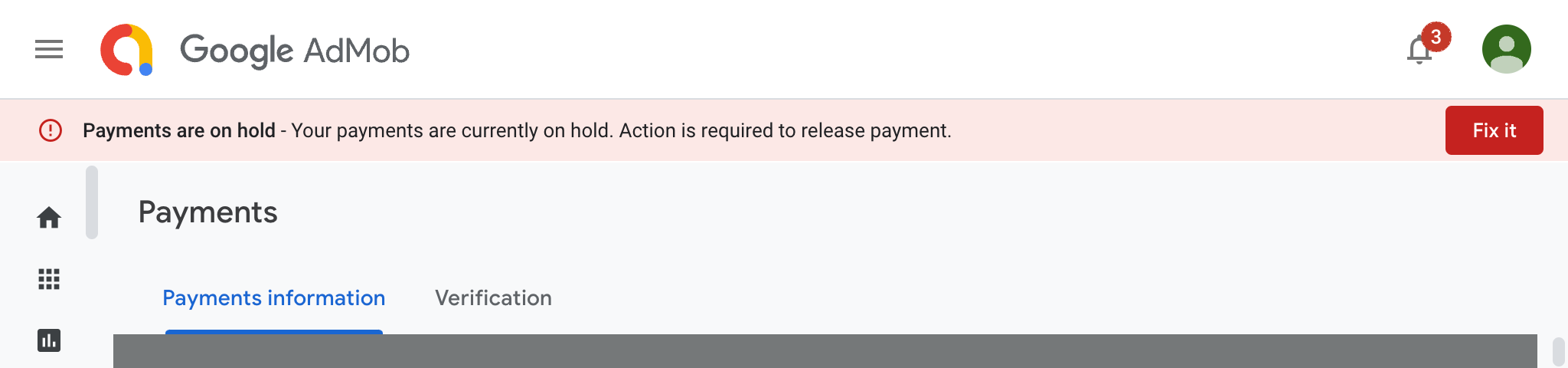
My Google payments for Apps using AdMob were on hold. Thats not good! How do you fix it?
- Details
Read more: Google payments on hold. Action is required - Taiwan

This document is an example security policy for the security of Apple Mac computers running macOS 14 Sonoma in a small business setting.
| Version | Significant changes |
|---|---|
| 1.3 | Updated for macOS 14 Sonoma |
| 1.3.1 | Version for LinkedIn |
| 1.3.2 | Updated with clarifications about supported versions of macOS |

TL:DR – I was asked if I had a security policy document for macOS that would work for a small business who don't have a device management platform and I did have one, but it was mostly in my head or implemented on my Macs, so I decided to write it up in detail.
It is an example. You might want to change things. It is for smaller businesses who can't use Apple Business Manager or similar device management technologies.
I thought it might be helpful to someone to post it here.
- Details
Read more: Hardening Macs - Security policy for macOS Sonoma

iOS 17
iOS 17 brought big updates to Phone, Messages and FaceTime that gave you new ways to express yourself as you communicate. StandBy delivers a new full-screen experience with glanceable information designed to be viewed from a distance when you turn iPhone on its side while charging. AirDrop makes it easier to share and connect with those around you and adds NameDrop for contact sharing. Enhancements to the keyboard make entering text faster and easier than ever before. iOS 17 also includes updates to Widgets, Safari, Music, AirPlay and more.
TL:DR— Install right away if your device is eligible just to get the updates and Security fixes. Consider selling/trading in iPhones older than the iPhone XS as they won't be upgradable to iOS 17 and their value is diminishing. iOS 17 compatible iPhone devices with a lightniing connector are also on borrowed time, but do not need to be immediately replaced. App developers might find it helpful to keep an iPhone 8 or iPhone X around for testing with iOS 16 while it is still supported.
- Details

You can select dashboards and reports and publish them as an app, either to a group or to your whole organization, but how do you package up a Power BI app for a third party, as part of an application lifecycle management (ALM) system for good governance? — Let's find out what best practice looks like in September 2023!
Publishing apps in Power BI
Microsoft say "You can publish apps to people outside your organization, too. They can view and interact with the app content, but can't share it with others. Now you can create template apps and deploy them to any Power BI customer." (See: Ways to collaborate and share in Power BI — Microsoft). That is quite hard to unpick.

- Details

Heres a little cookbook of utilities that make working with Android devices easier.
TL:DR – Sync music or movies to your android device, pull videos our of your phone storage onto your computer, take a screenshot and save it on your local computer, record a movie of the screen of your android device – and more!
- Details
Read more: Using developer tools to transfer files on Android
