

I switched out of Adobe software in 2021 and have not missed a single thing about their tools. Adobe Creative Cloud was costing close to £700 per year for a single licence — a hard subscription to justify for functionality I used only occasionally. Since then the landscape for Adobe alternatives has shifted dramatically, and in 2026 the case for leaving Adobe behind is stronger than ever.
I replaced every Adobe Creative Cloud tool with fully featured Universal applications built to take advantage of Apple silicon. I am not a professional designer reviewing these apps from a power-user perspective — there are plenty of those reviews elsewhere. My needs are straightforward: I need graphics tools occasionally, for example to clean up an image or edit a scalable vector graphic. I need effective software designed and built for the latest Apple silicon technology. I do not need a full Adobe Creative Cloud subscription. So if you, like me, have an Apple silicon Mac and want tools whose developers are moving forward rather than falling behind, this article is for you.
TL;DR — I did it, and I have been genuinely surprised by the depth and quality of the alternatives. They are all fast, full-featured, and — crucially — they do not carry Adobe's subscription model or its increasingly sluggish pace of development. I standardised on Affinity products and cancelled my Adobe Creative Cloud subscription years ago. In 2025 Canva made the entire Affinity suite free to download and use, which removes the last remaining financial barrier to switching.
Contents
Just take me to the links
PhotoLine, Krita, Affinity Designer, Affinity Publisher, Affinity Photo, Ardour, REAPER
Affinity wins in 2026
When I first wrote about replacing Adobe Creative Cloud, the Affinity suite from Serif was the standout paid alternative — excellent software at a one-off price that undercut Adobe's annual subscription by a wide margin. In 2022 Canva, the Australian design platform, acquired Serif and the Affinity product line. At the time there was understandable anxiety in the community about what a large commercial acquisition would mean for pricing and independence. The answer, when it came, was not what anyone expected.
In 2025 Canva announced that Affinity Designer, Affinity Photo, and Affinity Publisher — the full Version 2 suite — would become permanently free to download and use. No subscription, no time limit, no watermarks. Canva's stated rationale is that making professional creative tools universally accessible aligns with their broader mission, and they have committed to keeping the core apps free.
We're making the full Affinity suite free — forever. No subscriptions, no trials, no limitations. Just professional creative tools, available to everyone.
That announcement effectively ended the debate about cost. Adobe Creative Cloud subscriptions have continued to rise in price and complexity, with various tiers, regional pricing disparities, and bundled services many users simply do not want. Affinity is now not only the better-integrated, faster, Apple-silicon-native option — it is also free. The screenshot below from Affinity Photo 2 says everything that needs to be said about the licensing philosophy.

A little background
When Adobe moved to a subscription model in 2013 there was fairly widespread derision. I am not going to rake over all of those coals, but there is a particular hypocrisy in Adobe's reassurances at the time that feels demonstrably confirmed now. Ashleigh Allsopp, reporting for Macworld, noted that Adobe's focus on Creative Cloud would mean subscribers would have access to new features on a regular basis, because the company could roll out updates more often. Adobe's VP was quoted promising features would be released as soon as they were ready.
"Adobe is actively working to build apps that run natively on Apple computers using the Apple silicon M1 chip."
Apple announced the transition of the Mac platform to Apple silicon on 22 June 2020. Adobe's transition to native Apple silicon support was painfully slow — a company of that scale, with the kind of close developer relationship Apple extends to major software partners, had little excuse for the lag. That sluggishness was the signal I needed in 2021 to start looking seriously at alternatives. It turned out to be the right call.
Adobe faces continuing and intensifying criticism for its subscription model, which is costly over time and leaves users without access to their work if they stop paying. Other widely reported complaints include poor customer support, privacy concerns around its cloud-based systems, aggressive cancellation fees, and regional pricing disparities. The discontinuation of previously popular tools like Fireworks and GoLive still frustrates former loyalists, and more recent controversies around Adobe's terms of service — particularly clauses that appeared to grant Adobe rights to access user content — have driven a fresh wave of users to look for alternatives. The proposed merger with Figma was blocked by regulators in 2024, a sign that Adobe's market dominance is attracting serious scrutiny.
Drop-in replacements for Adobe Creative Cloud apps
PhotoLine
PhotoLine is a mature, full-featured image and graphics editor with roots going back to 1996. It supports PSD files, PDF export, animated GIFs, SVGs, and handles digital camera raw files with EXIF and IPTC data. It is a Universal application with native Apple silicon support, and on an Apple silicon Mac it is noticeably fast — large PSD files open in a fraction of the time you might expect.
PhotoLine uses a perpetual licence model, not a subscription. Pricing has remained modest — check the current figure at the PhotoLine website — and a single registration covers use on both macOS and Windows. The software runs in a fully functional trial mode for 30 days. Major version upgrades carry a small additional fee; updates within a major version are free.
Editing capabilities include Light/Shadow adjustments, white point and colour temperature controls, chromatic aberration correction, image noise reduction, red-eye removal, lens correction, and perspective distortion tools. Advanced lossless image processing lets you apply effects without altering the original data. A comprehensive filter set rounds out a genuinely professional toolset.
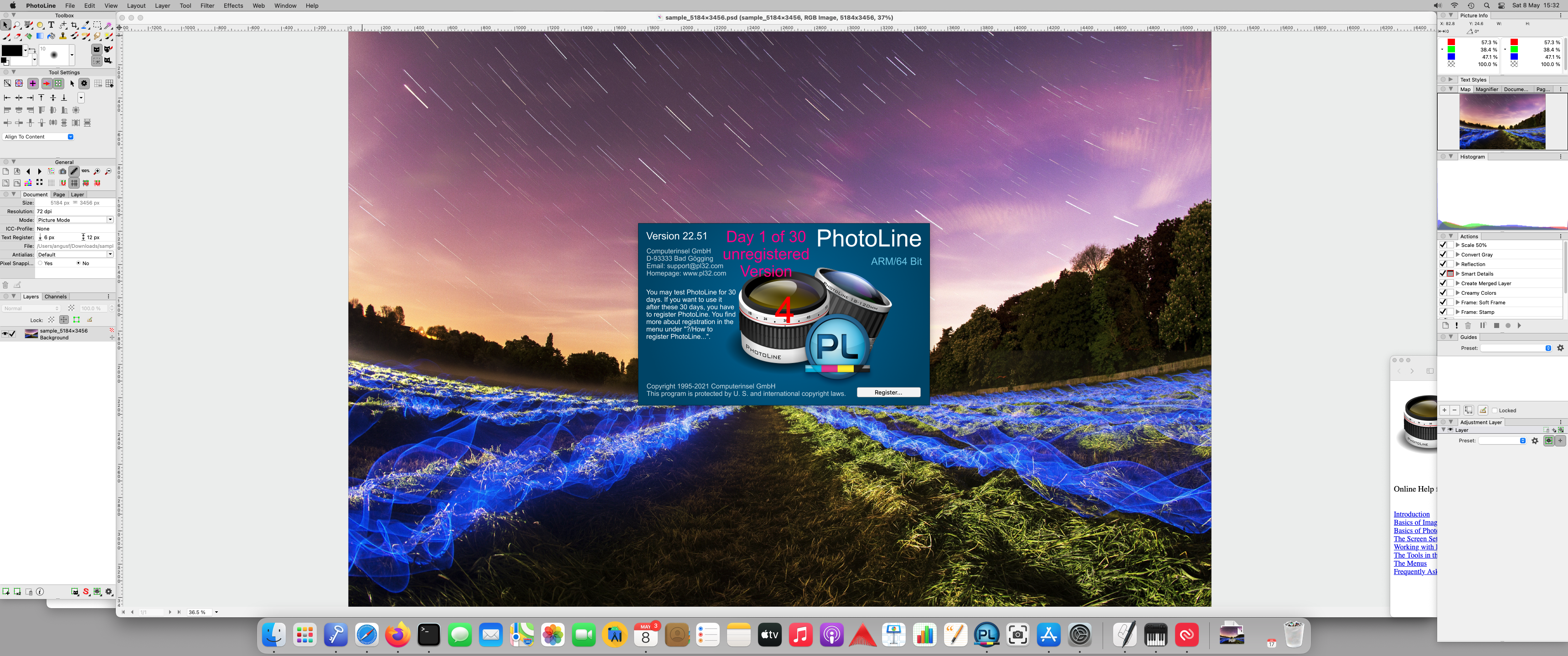
PhotoLine running on an Apple silicon Mac mini with a PSD sample file (107 MB, 5184×3456) from filesamples.com

Krita
Krita is careful to distinguish itself from image manipulation tools: it is a professional painting application, not a general-purpose photo editor. That distinction matters. Krita has specialised tools for painting that you simply will not find in Photoshop. The Krita team publishes a detailed guide to what Krita has over Photoshop, which is worth reading if you are making the switch.
Krita is free and open source, powered by KDE, and will remain so. It is used for concept art, texture and matte painting, illustration, and comics. The interface is clean and highly configurable — panels and dockers can be arranged and saved as workspaces. Krita includes over 100 professional brushes with stabilisers for smoother lines, built-in vector tools for comic panel layouts, seamless texture creation via wrap-around mode, and 2D animation export to video. PSD files are supported, as are vector, filter, group, and file layers.

Krita running on an Apple silicon Mac mini with a PSD sample file (107 MB, 5184×3456) from filesamples.com
Affinity Designer 2
Affinity Designer 2 is a vector and raster graphics editor developed by Serif, available for macOS, iPadOS, and Windows. It is part of the Affinity V2 suite alongside Affinity Photo 2 and Affinity Publisher 2. Following Canva's 2025 announcement, the full suite is now free to download directly from the Affinity website or from the Mac App Store.
Affinity Designer was a runner-up in Apple's Best of 2014 list and won an Apple Design Award in 2015. Version 2 brought a significantly expanded feature set, improved performance on Apple silicon, and a refined interface. All major image and vector file formats are supported, including EPS, JPG, PDF, SVG, PSD, PNG, TIFF, and GIF.
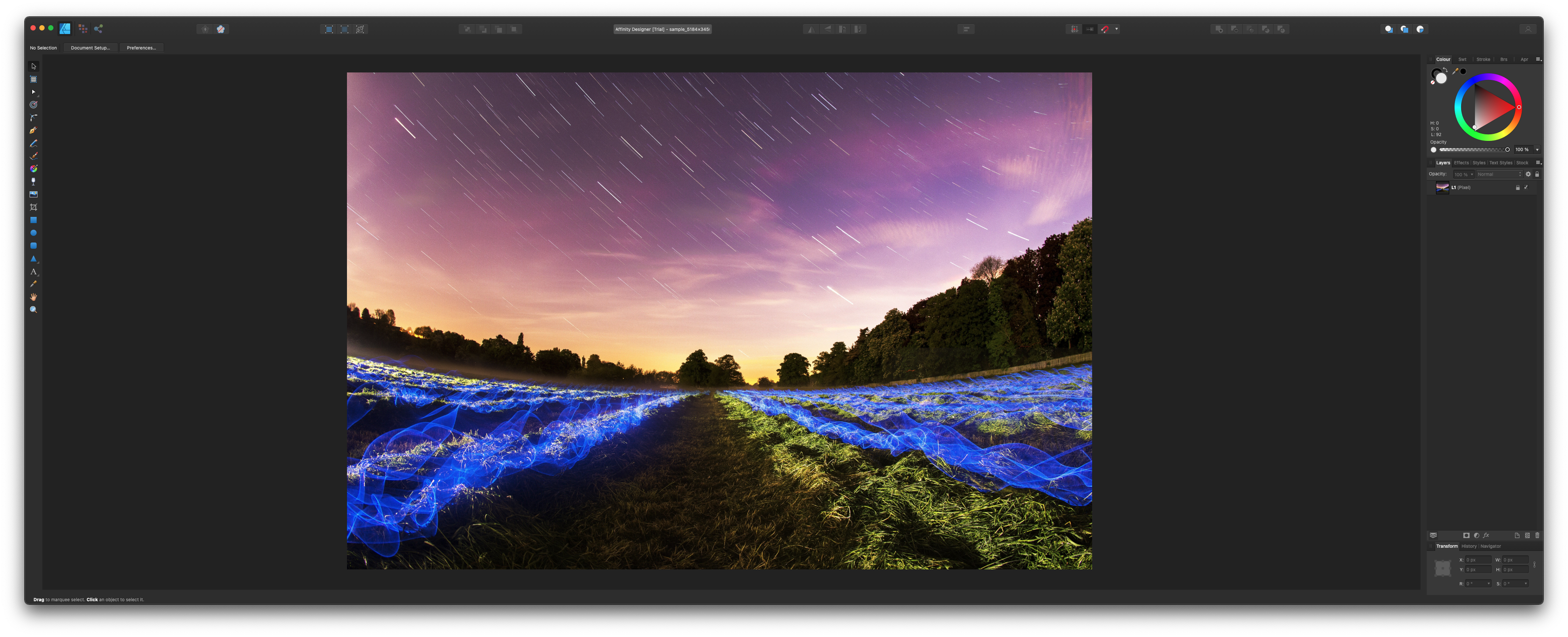
Affinity Designer 2 running on an Apple silicon Mac with a PSD sample file (107 MB, 5184×3456) from filesamples.com
Large PSD files open quickly and the export workflow is fast and intuitive. The documentation is comprehensive and the quick-start guides are genuinely useful for anyone coming from Illustrator.
Affinity Publisher 2
Affinity Publisher 2 is a professional desktop publishing application from Serif, available for macOS, iPadOS, and Windows. Like the rest of the V2 suite, it is now free. Serif cite books, magazines, marketing materials, social media templates, and website mock-ups as typical use cases — the core strength being the ability to combine images, graphics, and text into polished layouts ready for professional print output.
Publisher 2 was named Mac App of the Year by Apple in 2019 in its first-generation form. Version 2 adds deeper StudioLink integration, which allows you to switch seamlessly between Publisher, Photo, and Designer personas within a single document — effectively giving you the combined power of all three apps without leaving your layout. Master pages, facing-page spreads, grids, tables, advanced typography, text flow, data merge from external sources, and IDML import for InDesign content are all included.
