

In 2026, running Joomla on Amazon Lightsail remains one of the most practical entry points into cloud hosting for developers, agencies, and organisations that want genuine AWS infrastructure without the overhead of configuring EC2, VPCs, and load balancers from scratch. Lightsail has matured considerably since its launch, and Joomla itself has continued to evolve — meaning the combination is more capable today than ever. This article covers everything you need to deploy, secure, and manage a Joomla site on Lightsail in 2026: current pricing tiers, architecture considerations, security best practices, AWS service integrations, and what has changed recently that you need to know about.
TL:DR – Lightsail gives you a predictable monthly bill, a one-click Joomla blueprint, and a clear upgrade path into the wider AWS ecosystem. This guide walks through setup, security hardening, performance optimisation, and the latest platform changes so you can make an informed hosting decision today.
Contents
- Understanding Amazon Lightsail in 2026
- Why choose Lightsail for Joomla hosting in 2026?
- What's changed in 2026
- Step-by-step guide to launching Joomla on Lightsail
- Creating your AWS account
- Provisioning a Joomla instance
- Connecting to your instance
- Attaching a static IP address
- Configuring your domain and DNS
- Securing and optimising Joomla on Lightsail
- Keep Joomla and extensions current
- Enforce strong authentication
- Install an SSL certificate with Let's Encrypt
- Harden the Lightsail firewall
- Enable automated snapshots
- Performance optimisation
- Integrating with other AWS services
- Monitoring and alerting
- Exploring alternatives to Lightsail
- Conclusion
Understanding Amazon Lightsail in 2026
Amazon Lightsail is AWS's managed virtual private server (VPS) platform, designed to lower the barrier to cloud hosting without sacrificing the reliability of the underlying AWS infrastructure. Where services like EC2 reward deep cloud expertise, Lightsail prioritises speed and simplicity: fixed monthly pricing, pre-configured blueprints, built-in DNS management, automated snapshots, and a clean console that doesn't require an AWS certification to navigate.
Lightsail bundles virtual machines, container services, managed databases, object storage, and content delivery into a single, coherent product. The pricing model remains one of its strongest selling points — you know exactly what you will pay each month, which matters enormously for small teams and budget-conscious projects. New AWS accounts can still trial Lightsail instances at no charge for an initial period, making it low-risk to evaluate before committing.
Critically, Lightsail sits within the broader AWS ecosystem. As a project outgrows its initial instance, you can peer your Lightsail resources with a full AWS VPC and begin consuming services such as RDS, S3, CloudFront, and WAF without migrating away from the platform entirely. That upgrade path has become smoother and better documented over the past couple of years.
Why choose Lightsail for Joomla hosting in 2026?
Several factors make Lightsail a strong choice for Joomla specifically in the current landscape.
- Predictable cost: Lightsail's tiered pricing starts at a low monthly rate and scales incrementally. Compared with equivalent managed Joomla hosting or a self-managed EC2 instance, the total cost of ownership is typically lower for sites that don't require enterprise-scale infrastructure.
- Joomla blueprint: Lightsail ships a maintained Joomla blueprint that provisions a ready-to-run stack — Linux, Apache, MySQL, and PHP — in a few minutes. You don't need to configure a LAMP stack manually.
- Performance: Instances run on NVMe-backed SSD storage with burstable or dedicated CPU allocations depending on the tier. For most Joomla sites, even a modest instance delivers response times that shared hosting simply cannot match consistently.
- No noisy-neighbour problem: Your instance is not competing with unknown co-tenants for CPU cycles or I/O bandwidth in the way shared hosting arrangements typically are.
- AWS reliability: Lightsail inherits AWS's availability zone architecture and SLA commitments, which are substantially stronger than most independent hosting providers.
- Growth path: When traffic or complexity demands it, you can integrate RDS for managed MySQL, CloudFront for CDN delivery, and eventually migrate workloads to EC2 or ECS without starting over.
What's changed in 2026
If you last evaluated Lightsail for Joomla a couple of years ago, several things have shifted and are worth noting before you proceed.
Joomla 5.x is now the current stable series. Joomla 5 introduced a modernised extension framework, improved accessibility compliance aligned with WCAG 2.2, a refreshed administrator interface, and tighter PHP 8.x compatibility. If you are running a Joomla 3.x or 4.x site, migration planning should be on your roadmap — Joomla 3.x reached end of life and no longer receives security patches, making it a meaningful risk on any hosting platform.
PHP 8.x is now the baseline. PHP 7.x is end-of-life and unsupported. The Lightsail Joomla blueprint provisions a current PHP 8.x release by default. If you are migrating an older site, auditing your extensions for PHP 8 compatibility before moving is essential — some legacy extensions have not been updated and will break.
Lightsail container services have matured. For teams comfortable with Docker, Lightsail's container service is now a credible alternative to the classic VPS blueprint approach. Running Joomla in a container on Lightsail gives you cleaner separation of concerns, easier rollbacks via image versioning, and simpler CI/CD integration. This guide focuses on the VPS blueprint path, but the container route is worth evaluating if your team already works with Docker.
Managed databases are more tightly integrated. Lightsail's managed MySQL database offering has seen reliability and configuration improvements. Offloading your Joomla database to a Lightsail managed database instance rather than running MySQL on the same VPS is now a straightforward option that improves resilience and simplifies backup management.
AWS WAF integration is more accessible. Connecting a Lightsail load balancer to AWS WAF for web application firewall protection has become a more documented and commonly recommended configuration, particularly for Joomla sites handling user-generated content, e-commerce, or membership data.
Step-by-step guide to launching Joomla on Lightsail
The following steps walk through a current, clean deployment of Joomla on Lightsail using the VPS blueprint approach.
Creating your AWS account
If you don't already have an AWS account, sign up at aws.amazon.com. You'll provide billing details during registration. Once logged in, navigate to the Lightsail console — it's accessible directly from the AWS console or at lightsail.aws.amazon.com. New users should take a few minutes to explore the dashboard before provisioning anything; the interface is genuinely straightforward compared with the main AWS console.
Provisioning a Joomla instance
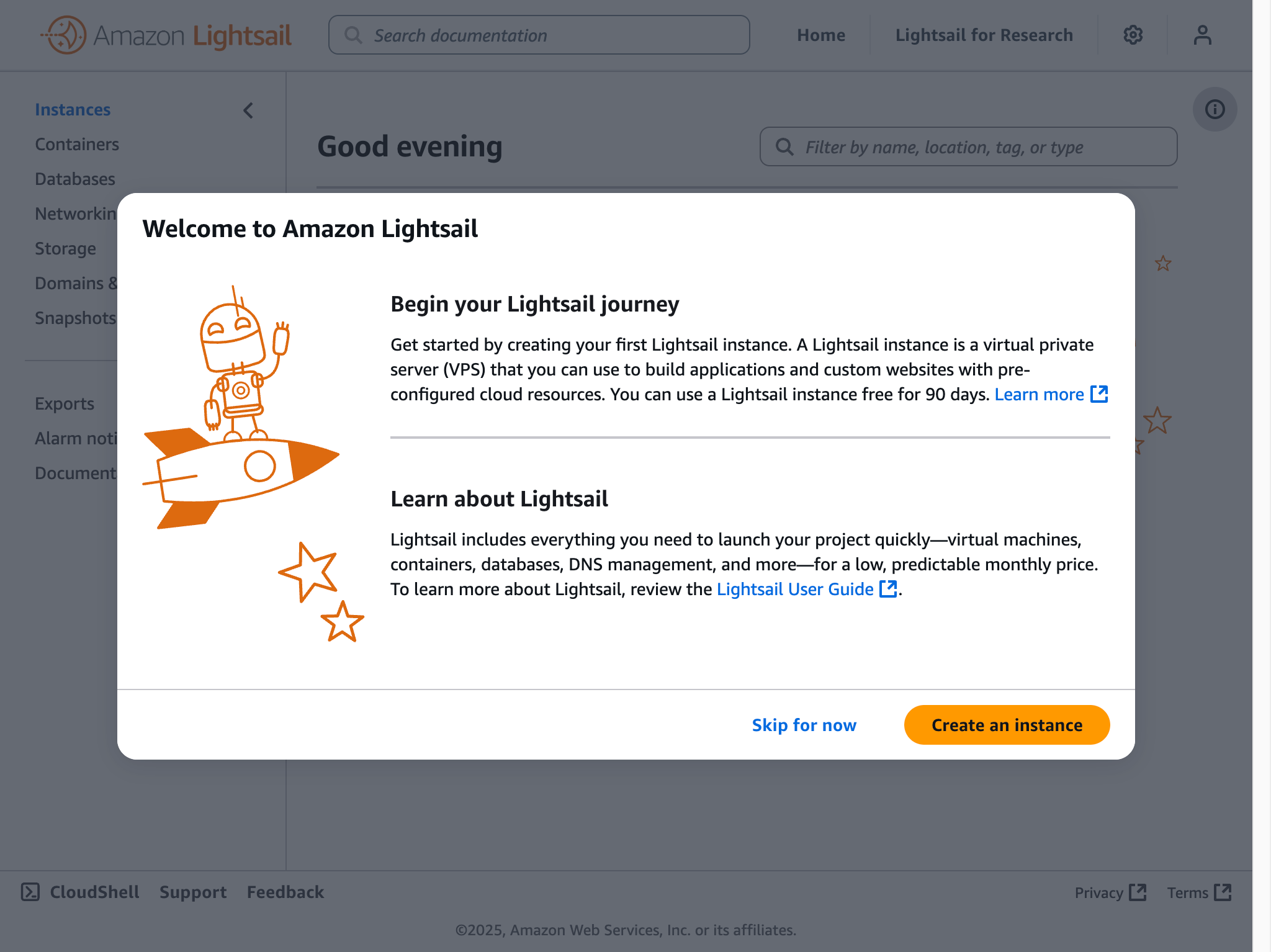
From the Lightsail home screen, select Create instance. You'll be prompted to choose a region and availability zone — pick the region geographically closest to your primary audience to minimise latency. Under Select a blueprint, choose CMS and then Joomla. Lightsail will configure the underlying LAMP stack automatically.
Next, choose your instance plan. Lightsail offers several tiers differentiated by RAM, vCPU count, SSD storage, and included data transfer. For a new Joomla site with modest traffic, a mid-range plan is typically sufficient. If you anticipate significant traffic from launch, size up — it is easier to start larger than to migrate a live site under load. Keep future scalability in mind: you can take a snapshot and redeploy to a larger plan, but there is some downtime involved.
Give your instance a meaningful name, then click Create instance. Provisioning typically completes within a couple of minutes.
Connecting to your instance
Once provisioned, your instance appears in the Lightsail dashboard with a public IP address assigned. You can connect immediately using the browser-based SSH client built into the Lightsail console — no local SSH configuration required. For ongoing management, most administrators prefer connecting via a local SSH client using the key pair downloaded during setup, which is faster and more flexible.
On first connection, retrieve your Joomla administrator credentials. The Lightsail Joomla blueprint stores the auto-generated credentials in a file on the instance; the exact path is documented in the Lightsail console under the instance's Connect tab. Record these credentials securely and change the administrator password immediately.
Attaching a static IP address
By default, Lightsail instances receive a dynamic public IP that changes if the instance is stopped and restarted. Before pointing a domain at your instance, attach a static IP from the Lightsail networking section. Static IPs are free in Lightsail as long as they are attached to a running instance. This is a step that is easy to overlook and causes unnecessary disruption later if skipped.
Configuring your domain and DNS
Point your domain to your Lightsail static IP either through Lightsail's built-in DNS management or through your existing DNS provider. Lightsail's DNS zones are straightforward to configure and are included at no additional cost. Once DNS propagates, update Joomla's site URL in the Global Configuration panel to match your domain.
Securing and optimising Joomla on Lightsail
Security is not optional. Joomla is a widely deployed CMS and therefore a consistent target for automated scanning and exploitation attempts. The following measures should be treated as baseline requirements, not optional extras.
Keep Joomla and extensions current
Joomla 5.x ships with a streamlined update notification system in the administrator backend. Enable one-click updates and act on security releases promptly — the Joomla Security Strike Team publishes advisories that are worth following. Extension vulnerabilities are frequently the actual attack vector on Joomla sites, so audit your installed extensions regularly and remove anything that is unmaintained or no longer needed.
Enforce strong authentication
Enable multi-factor authentication (MFA) for all Joomla administrator accounts — Joomla 5 includes MFA support natively, removing the need for a third-party plugin for this baseline protection. Use a password manager to generate and store strong, unique credentials. Rename or restrict access to the default /administrator path using Joomla's built-in backend URL customisation or an .htaccess rule to reduce automated login attempts.
Install an SSL certificate with Let's Encrypt
HTTPS is non-negotiable in 2026. Lightsail supports Let's Encrypt certificate provisioning via Certbot, which is pre-installed on the Joomla blueprint instance. Run Certbot to obtain and install a certificate for your domain, then configure automatic renewal — Certbot's systemd timer or cron job handles this. After installation, configure Joomla's Global Configuration to force HTTPS and add an .htaccess redirect to ensure all HTTP traffic is redirected to HTTPS.
Harden the Lightsail firewall
Lightsail instances have a built-in firewall managed from the console. Restrict inbound rules to only what is necessary: HTTP (port 80), HTTPS (port 443), and SSH (port 22) from your own IP addresses only, not from anywhere. If you are using a Lightsail load balancer, you can restrict direct instance access entirely and route all traffic through the load balancer.
Enable automated snapshots
Lightsail's automated snapshot feature takes daily backups of your instance. Enable this from the instance management panel and retain at least seven days of snapshots. Before any significant update — Joomla version upgrades, PHP version changes, major extension installs — take a manual snapshot so you have a clean restore point.
Performance optimisation
For most Joomla sites on Lightsail, the following optimisations deliver meaningful improvements without significant complexity:
- Enable Joomla's built-in page caching and Gzip compression in Global Configuration.
- Install and configure a PHP opcode cache — OPcache is available on the blueprint stack and reduces PHP execution overhead substantially.
- Optimise images before upload, or use a Joomla extension that handles WebP conversion and lazy loading.
- Use a CDN — either Amazon CloudFront or a third-party CDN — to serve static assets from edge locations closer to your visitors.
- Consider offloading the database to a Lightsail managed MySQL instance for better I/O isolation, particularly under sustained traffic.
Integrating with other AWS services
One of Lightsail's enduring advantages is the ability to connect to the broader AWS service catalogue as your requirements grow. The following integrations are particularly relevant for Joomla deployments.
Amazon RDS: For sites with significant database load or strict uptime requirements, migrating the Joomla database from the local MySQL instance to Amazon RDS provides automated backups, multi-AZ failover, and managed patching. Lightsail VPC peering makes this connection straightforward to configure.
Amazon S3: Joomla extensions are available that offload media library assets to S3, keeping your instance storage lean and making assets highly available. This is particularly useful for media-heavy sites or those with large file download libraries.
Amazon CloudFront: Placing CloudFront in front of your Lightsail instance caches static content at AWS edge locations globally, reducing latency for international visitors and offloading bandwidth from your instance. CloudFront also integrates with AWS Certificate Manager for SSL and with AWS WAF for request filtering.
AWS WAF: For Joomla sites handling sensitive data, e-commerce transactions, or significant public traffic, attaching AWS WAF to a Lightsail load balancer provides managed rule sets that block common web exploits, SQL injection, and cross-site scripting attempts at the network edge before requests reach your application.
Amazon SES: Joomla relies on email for user registration, password resets, and contact forms. Configuring Joomla's mail settings to route through Amazon Simple Email Service (SES) improves deliverability significantly compared with sending mail directly from a VPS IP.
Monitoring and alerting
Lightsail includes basic instance metrics — CPU utilisation, network throughput, and status check results — accessible directly from the console. You can configure notification alarms on these metrics to alert you via email or SMS when thresholds are breached. For most small to medium Joomla sites, this built-in monitoring is sufficient as a starting point.
For more granular observability, Amazon CloudWatch can be connected to your Lightsail instance. CloudWatch enables custom dashboards, log aggregation, and more sophisticated alerting rules. If you are running a business-critical Joomla site, investing in CloudWatch configuration pays dividends when diagnosing performance degradation or unexpected traffic spikes.
Uptime monitoring from an external perspective — using a service that checks your site's availability from outside AWS — is also worth setting up. This catches scenarios where your instance is running but the application itself has become unresponsive, which internal metrics alone may not surface clearly.
Exploring alternatives to Lightsail
Lightsail is an excellent fit for many Joomla deployments, but it isn't the right answer for every situation. It is worth understanding where alternatives make more sense.
DigitalOcean and Linode (Akamai Cloud): Both remain credible VPS alternatives with competitive pricing and strong Joomla community documentation. They offer more granular control over server configuration and, for users already familiar with Linux server administration, may feel more flexible. Neither has the native AWS service integration that Lightsail provides.
Managed Joomla hosting: Specialist managed Joomla hosts handle server administration, updates, and security patching on your behalf. This comes at a higher price point but reduces the operational burden significantly for teams without dedicated server expertise. If your organisation has no in-house technical resource for server management, managed hosting deserves serious consideration.
AWS EC2 directly: For complex, high-traffic deployments — multi-server architectures, auto-scaling groups, sophisticated networking requirements — moving beyond Lightsail to a full EC2-based deployment gives you more control and flexibility. Lightsail is deliberately constrained in some areas; those constraints are the price of its simplicity.
Containerised deployments on ECS or EKS: If your team works with containers as a standard practice, running Joomla on ECS Fargate or within a Kubernetes cluster on EKS provides excellent operational consistency and scalability. The operational complexity is higher than Lightsail, but the flexibility is substantially greater.
Conclusion
In 2026, Amazon Lightsail continues to occupy a well-defined and genuinely useful position in the hosting landscape: it is the lowest-friction path to running Joomla on AWS infrastructure with a predictable cost model and a clear upgrade path as requirements evolve. The platform has matured, the Joomla blueprint is maintained against current PHP and CMS versions, and the integration story with the broader AWS ecosystem is stronger than it has ever been.
The most important considerations for a successful deployment today are keeping Joomla 5.x and its extensions current, enforcing HTTPS and strong authentication from day one, configuring automated snapshots before making any significant changes, and planning for growth by understanding which AWS services — RDS, CloudFront, WAF, SES — are worth adding as your site scales.
For further guidance, the AWS Lightsail documentation and the official Joomla documentation are both actively maintained and reflect current platform capabilities. The Joomla community forums remain a valuable resource for deployment-specific questions.
